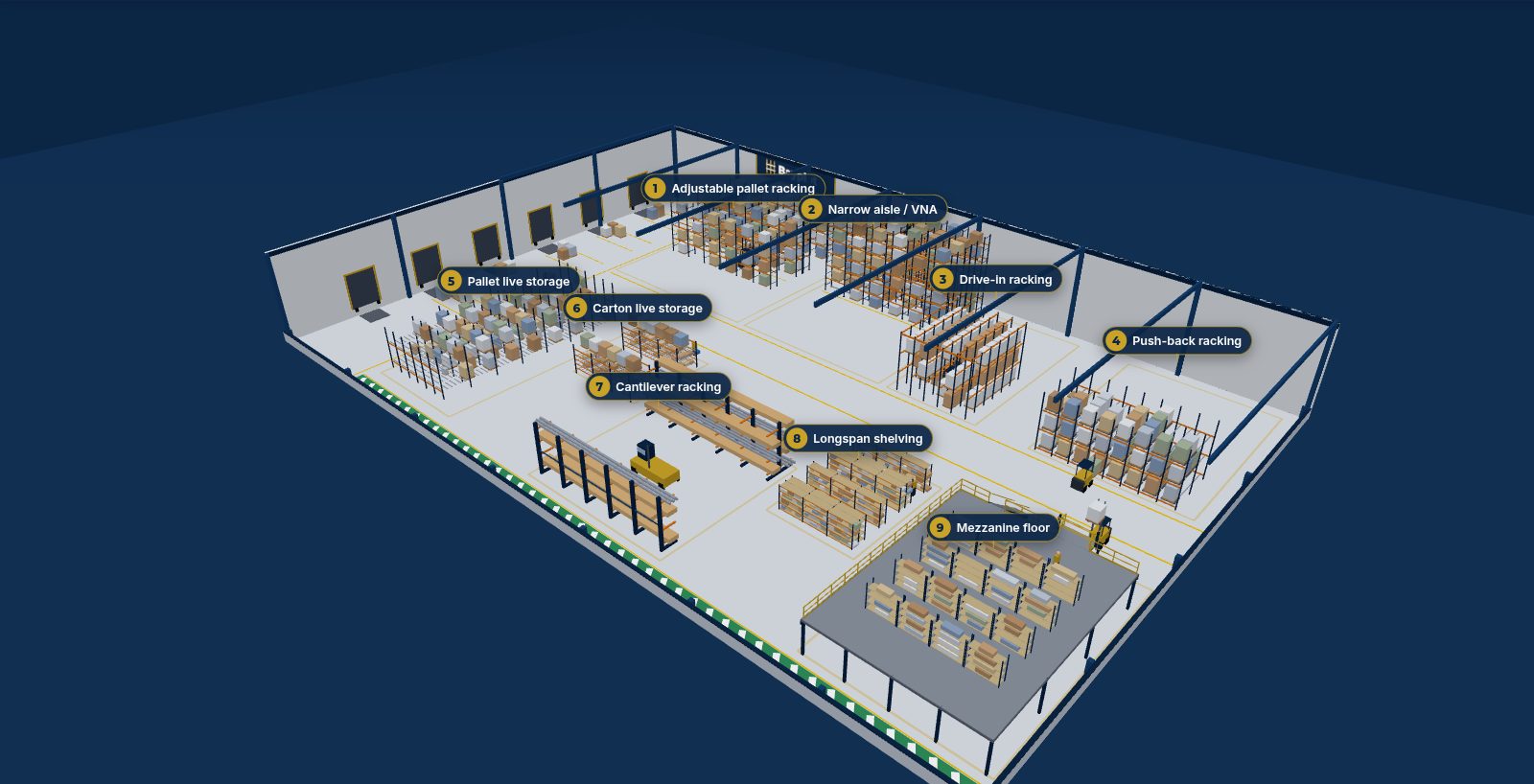
Drag to orbit · pinch or scroll to zoom · tap a number
At a glance
Which storage type suits what
| # | Storage type | Access | Best for |
|---|
Automated small-parts storage: AutoStore. Robots on top of a cube grid bring each bin to a port for picking. It is not in the 3D model above; size a grid from your SKUs (bins, footprint, robots and ports from AutoStore's published figures) in AutoStore sizing.
General guidance only. The right system depends on your products, throughput, building, trucks and budget. Plan the options in the toolkits, then have the design checked by the supplier and a suitably qualified engineer.
Plan it, then get it built
Lay out racking, shelving, a mezzanine or an AutoStore grid in the toolkits. When you’re ready, BayPlan & Build can supply and install it.
Illustrative model. The 3D warehouse is a simplified illustration, not to scale and not a design. Descriptions are general guidance. Planning-grade only: confirm aisle widths, lift heights, loads and prices with suppliers and suitably qualified professionals before ordering anything.